- Home
- Departments
- Library
- Media Lab
Media Lab
The Belleville Public Library Media Lab is located at the Main Branch (121 E. Washington). All equipment is self-serve with the exception of the 3D Printers. Staff may not be able to assist. A materials fee is applicable for some equipment.
Please call (618)-234-0441 to make sure the room and equipment is open and available for use.
- 3D Printers
- Recording Studio
- Video and Photography
- Media Transfer
- Telescope and Binoculars
- Large Format Printer
Formlabs Form 2
Materials Cost: $0.50/Gram
145 x 145 x 175 mm build volume
Minimum layer thickness of 25 microns
MakerBot Sketch 3D Printer
Materials Cost: $0.20/gram
- 5.9 x 5.9 x 5.9" build volume
- Single extruder with a 0.4mm nozzle
- 1.75mm PLA and Tough filaments
To use the 3D printers, please bring in a thumb drive with the .stl files you want printed.
Or call (618)-234-0441 for more information.
Recording Studio
Please note, this is a small space. Recording sessions that become loud or disruptive will be asked to stop.
Hardware
| Software
|
Sony Handycam
30x optical/350x digital zoom
2.95" Clear Photo color LCD monitor
1/5.8 in (3.1 mm) back-illuminated Exmor R CMOS sensor
5.1ch surround sound microphone
Multicard slot
Supports Memory Stick Micro and Micro SD/SDHC/SDXC
Green Screen Photo Lighting Kit
Two uLite 500W Edison-Style Fixtures
Two Daylight LED Bulbs & Tungsten Covers
Two 20 x 20" Collapsible Softboxes
9 x 10' Chroma-Key Green Backdrop
Two 6.5' Light Stands
PhotoKey Lite Software
Video Creator Kit
24.2MP APS-C CMOS Sensor
DIGIC 6 Image Processor
3.0" 1.04m-Dot Vari-Angle Touchscreen
Full HD 1080p Video Recording at 30 fps
19-Pt. Cross-Type AF, Hybrid CMOS AF III
Expanded ISO 25600, 5 fps Shooting
VideoMic GO Shotgun Mic, Shoulder Bag
32GB and 16GB SDHC Memory Cards
EF-S 18-55mm f/3.5-5.6 IS STM Lens
EF-S 55-250mm f/4-5.6 IS STM Lens
Small-In-One® Inkjet Printer, Copier, Scanner, Photo
Materials cost: $0.25/sheet
Prints up to 13 black and white pages per minute and up to 10 color pages by ISO (International
Automatic 2-sided printing saves you time and paper.
Prints lab quality 4" x 6" photos in 20 seconds or less.
Dedicated photo and DVD trays help keep your jobs separate and organized. Color scanner lets you convert paper documents to electronic images. Features stunning 9600 x 9600 dpi resolution, and up to 48-bit color.
100-sheet paper tray handles print and copy jobs with ease.
Materials Cost:
CD - $1.00
DVD - $1.50
VHS to DVD
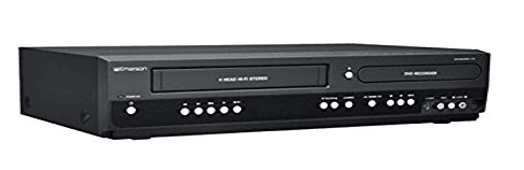
- vhs player and dvd player
vcr video cassette recorder
dvd/vcr/vhs/cd player comb
U-Matic Tape Player Digital
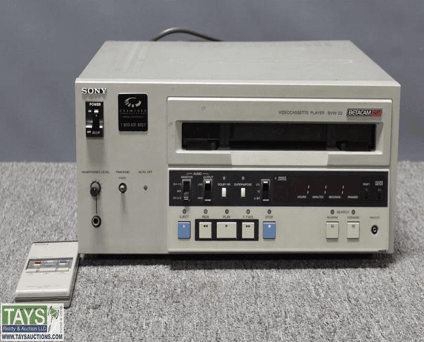
U-matic Tape Player
•U-matic videocassette recorder, player, editor
•Type-C Dolby noise reduction
• 9-pin RS-422 serial interface
•33-pin parallel interface with BKU-703A
•Dial Menu Operation, dubbing connectors, balanced audio with XLR connectors, 8 digit LED counter.
8MM Film to Digital
A fully automated to digitize 8 and Super 8 Movie Reels (NO SOUND)
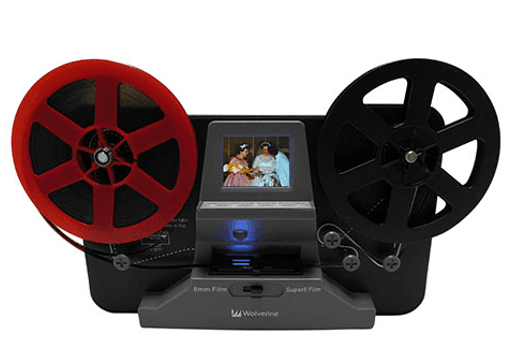
Frame-by-Frame digitizing for high-quality digital conversion
Scans and directly saves digital movies into SD/SDHC cards (32GB max, not included)
Converts 8 and Super 8 movies into MPEG-4 (MP4) digital movie files at 720P/ 30 fps
LP Conversion Turntable
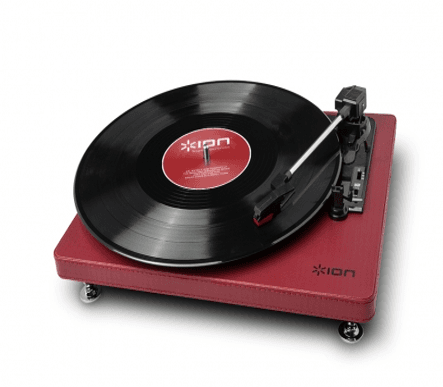
Convert your vintage vinyl into digital audio files
EZ Vinyl/TapeConverter software
Software automatically separates tracks
Plays and converts 33 1/3, 45, and 78* RPM records (*78 RPM stylus sold separately at ionaudio.com)
Tape 2 PC
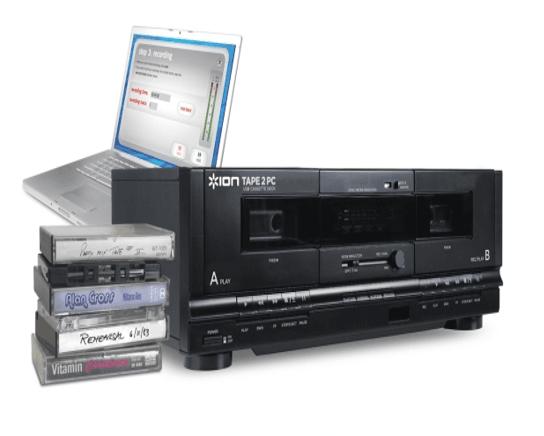
Transfers music from your tapes to your computer
Included EZ Vinyl/Tape Converter create convenient MP3s* of all your cassettes
Dual-dubbing cassette decks for tape-to-tape conversion
CD/DVD Duplicator
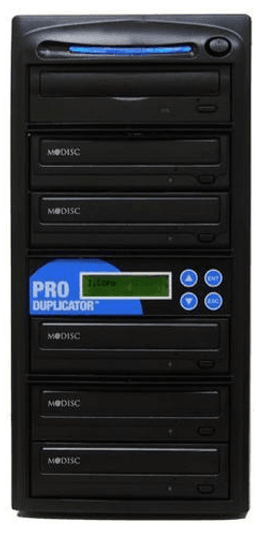
User-friendly LCD display interface
Automatic copy verify, compare, and prescan functions
Automatic CD and DVD format detection
Collect and edit track(s) from different discs to compile a mix CD
Upgradeable firmware via upgrade CD for future drive technology and update
Pics 2 PC
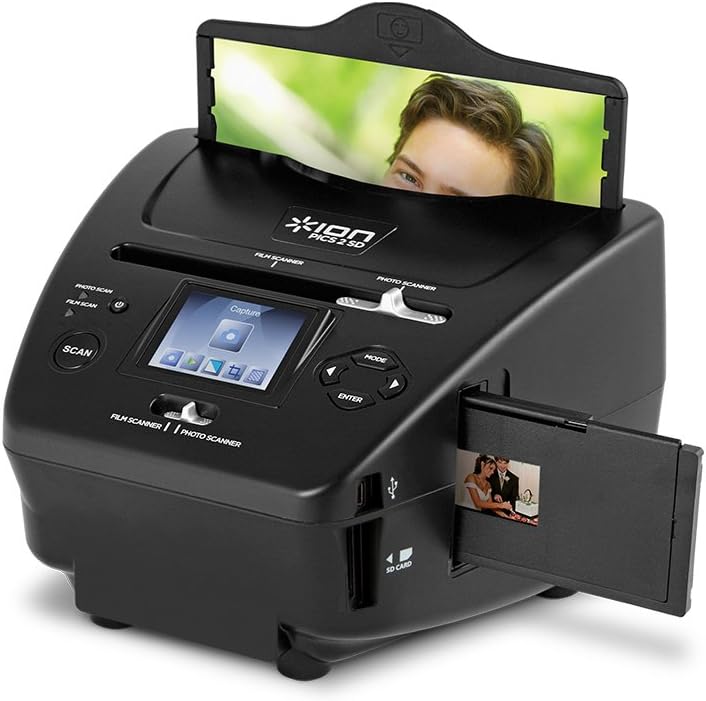
Scans your pictures, slides and negatives to an SD card
- Works with 35mm negatives, 35mm slides, and 3x5, 4x6, and 5x7-inch pictures
To borrow a telescope or pair of binoculars you must have a Belleville Public Library card. The card must be in good standing and cannot be in probationary status.
Reflector Telescope
76mm Aperture Newtonian Reflector
300mm Focal Length, f/4 Focal Ratio
Aluminum / SiO2 Mirror Coatings
1.25" Rack-and-Pinion Focuser
20mm and 10mm Eyepieces
5x24 Finderscope
Manual Tabletop Alt-Az Mount
Vortex Cross Fire 8x24 Binoculars
8x24 Magnification
HP DesignJet T2600dr 36-in
- 180 A1/D hr, A1/D in 19.3 sec on plain media
- Dye-based (C, M, Y, pK, G); pigment-based (mK)
- Sheet feed, roll feed, roll switching, 100 page output stacker, media bin, automatic horizontal cutter
Large Format Print Request Form
Acceptable file types: Acceptable file types: all common image file types, including JPEG, PNG, BMP, and PDF
- Maximum width: 36” / 10,800 pixels
- Staff reserve the right to deny any print job.
- Images will be printed exactly as they are submitted. Aside from resizing the image, staff will not modify the file.
- Please allow 14 business days for your project to be created.
- You will be notified via email or phone when your item is ready for pick up.
- Completed items will be held for 14 days.
- Maximum file size for the online form is 30MB.
- We can only accept 3 print projects at a time from any individual. Once your projects are completed, another set of projects can be submitted.
- For prints needed the same day, please visit the library in-person.
Paying for Prints
- The cost for large format prints will be charged by the linear foot. Charges are rounded up to the nearest dollar.
- Regular Paper: $2 per linear foot
- At this time, we are only offering one paper type.
- Once staff receive the completed form, you will be notified of the cost. Items will not be printed until you confirm the cost.
Tips for Good Prints
When printing images at large sizes, achieving a clear print can be more complicated than when printing small images. Here are some simple tips that will help you avoid bad prints.
- Use the original image file if possible. Images downloaded from social media sites like Facebook or Twitter, for example, have been downsized for those services. They will not print as clearly as the original photos.
- Generally, the larger the file size, the higher quality the image. For example, a photograph that is 500kb will most likely not look as sharp as one that is 10mb.
- A photo cannot be enlarged without losing quality. Staff can resize photos, but if scaled up too far, the photo will become blurry.
- More pixels mean a bigger image. Knowing your image's dimensions in pixels will give you a sense of how large it will print without blurring. For example, because we print images at 300 pixels per inch, an image that is 10,800 pixels wide will print clearly at 36” wide.